
Key Takeaways
- Start with household goals and daily frustrations before choosing devices.
- Plan Wi-Fi coverage, wired connections, power, and equipment locations early.
- Use one clear control approach instead of relying on a collection of unrelated apps.
- Build privacy, account security, and backup controls into the design.
- Keep automations simple enough for everyone in the home to understand.
- Document wiring, passwords, device locations, and equipment details for future service.
Smart-home planning in Frederick, Maryland should begin with the home itself, the people who live in it, and the routines they want to simplify. From historic properties near downtown to newer homes in surrounding communities, each layout presents different challenges for Wi-Fi coverage, wiring, equipment placement, and everyday controls. Professional audio installation services Frederick, MD can also be part of a larger plan for dependable entertainment, networking, and room-to-room convenience.
The goal is not to fill every room with connected gadgets. A useful smart home makes everyday tasks easier, keeps essential controls easy to understand, and leaves room to upgrade later without rebuilding the entire system.
Start With Clear Goals
Identify what would improve daily life: easier lighting for busy mornings, a reliable media room, safer entry, climate scheduling, or accessible voice and wall controls. List must-haves, nice-to-haves, rooms, and a budget for installation, setup, and maintenance.
A Frederick family, for example, could begin with lighting scenes, thermostat control, and living-room audio, then add cameras, motorized shades, outdoor speakers, and advanced automation once the core system works well.
Audit the Home Before Buying Devices
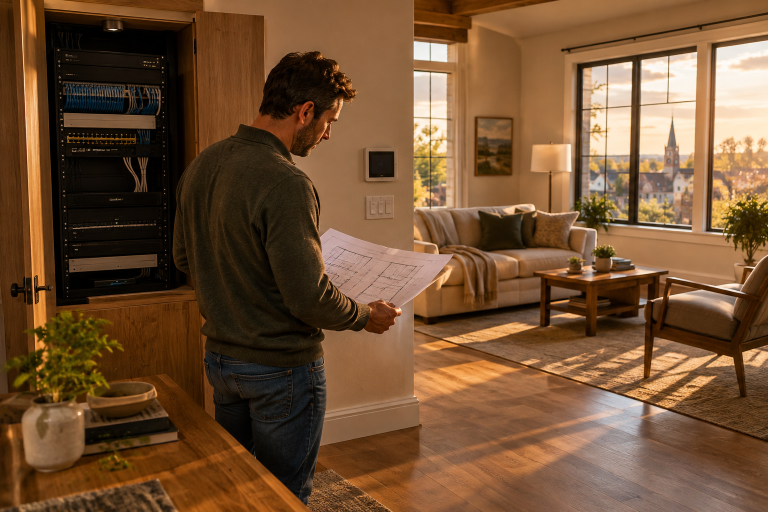
A brief home audit prevents many avoidable problems. Check where the router is located, where Wi-Fi weakens, and which spaces need coverage, including basements, garages, patios, home offices, and upper floors. Thick plaster walls, masonry, metal ductwork, and distance can all affect wireless performance.
- Identify existing Ethernet, coaxial, speaker, and low-voltage wiring.
- Note the available outlets, electrical panel capacity, and locations for future equipment.
- Choose ventilated, accessible areas for network gear, amplifiers, and control hubs.
- Record the locations of entry doors, cameras, network equipment, and utility connections.
Build a Strong Network First
Every connected thermostat, camera, speaker, lighting bridge, and control panel depends on the network. Internet speed matters, but local coverage and equipment placement often matter just as much. A single router may be sufficient for a compact layout, while a larger or more complex home may benefit from mesh Wi-Fi or wired access points placed in useful areas.
Test signal quality where devices will actually be installed, not only beside the router. Plan for outdoor cameras and doorbells, and consider separating guest devices from household equipment when the network supports it. Label cables and keep a basic list of connected devices so troubleshooting does not become a guessing game.
Choose Wired and Wireless Connections
A hybrid approach is often most practical. Wired connections suit fixed, high-use equipment—such as access points, TVs, desktop workstations, media-room components, and some cameras—reducing Wi-Fi congestion and providing stable connections for stationary devices.
Wireless devices work well in finished rooms, rentals, or places where cabling would be disruptive. They suit many sensors, switches, remotes, and battery-powered devices. Consider range, battery replacement, software support, and control-system compatibility when selecting them.
Plan the Control Platform
A smart home becomes difficult to use when each device requires a separate app, account, and setup process. Choose a primary way to handle ordinary tasks, whether that is wall keypads, a central app, voice control, or a combination of these. Physical controls remain important because guests, children, and service providers should be able to turn on lights or adjust basic settings without special instructions.
Questions to Ask Before Choosing Devices
- Can the device work with the main control method?
- Will essential functions still work if the internet connection is interrupted?
- Does the manufacturer provide ongoing security and software updates?
- Can a failed device be replaced without rebuilding every routine?
- Can household members receive different access permissions?
Include Energy and Comfort Controls
Smart controls improve comfort and energy awareness when suited to household routines. The Department of Energy says programmable and smart thermostats can adjust heating and cooling to schedules, occupancy, or activity; settings should account for the HVAC system, weather, insulation, preferences, and installation quality.
Use schedules for regular routines, occupancy sensors for frequently forgotten lights, and energy monitoring before major changes. Review seasonal automations as Frederick moves from winter heating to summer cooling. Connected controls can coordinate heating, cooling, lighting, and monitoring, like building systems that manage multiple components.
Protect Privacy and Account Security
Connected devices may collect data on household routines, occupancy, video, and access. Use unique passwords, enable multifactor authentication, and update routers and devices. Check camera settings and viewing zones before installation, especially indoors or near neighboring properties. Give guests separate access, protect administrator credentials, and disable unnecessary features. Before buying cloud-connected equipment, check how it stores, shares, and deletes recordings and household data.
Prepare for Future Changes
Future-ready planning does not mean predicting every new device. It means leaving practical options open. Reserve space in a network cabinet, leave spare power and network ports where practical, use conduit for difficult future cable routes, and label both ends of every installed cable.
Keep a digital record of device locations, wiring paths, warranty details, account recovery information, and automation notes. This documentation is valuable when equipment needs service, a homeowner changes, or a room is renovated.
Use This Simple Installation Checklist
- Goals, priorities, and budget are written down.
- Room-by-room device needs have been identified.
- Wi-Fi coverage has been tested in every planned area.
- Wired connections are planned for fixed, high-use equipment.
- Compatibility has been confirmed before purchase.
- Privacy settings and account security are ready.
- Equipment has ventilation and service access.
- Cables, ports, and devices will be labeled.
- Essential functions have manual or local backup controls.
- Future expansion has been considered.
Common Questions
Should a smart home use wired or wireless devices?
Both can be useful. Wired connections are often a strong fit for fixed equipment, while wireless devices can simplify installation for sensors, remotes, and finished spaces.
Does a smart home need fast internet?
Reliable local coverage is essential. Many performance issues come from weak Wi-Fi, poor placement, interference, or overloaded equipment rather than the internet plan alone.
How much should a smart home cost in 2026?
Costs vary with the number of rooms, condition of existing wiring, network needs, equipment categories, installation labor, and desired level of integration. Prioritizing foundational infrastructure first helps keep spending focused.
Conclusion
A well-planned smart home in Frederick, MD is built around clarity, not complexity. Start with dependable networking, thoughtful wiring, secure accounts, and controls that feel natural to everyone who uses them. With a clear plan and good documentation, the home can remain easier to maintain and upgrade for years to come.


 By



 By