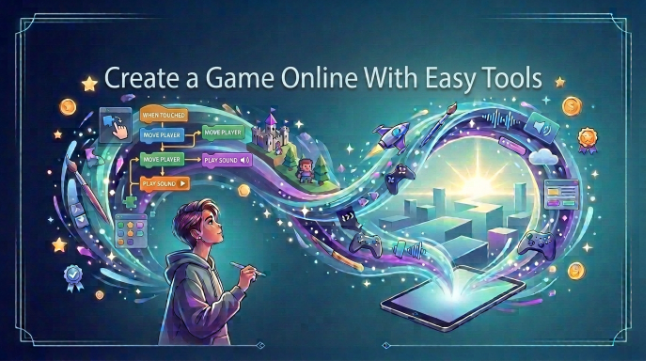

Did you want to make your own game but thought it would be too difficult? You may feel like you need to know how to code, buy expensive software, or have enough experience to make one.The good news is that modern tools and platforms like Astrocade, a casual gaming platform cater to game creators from beginners to professionals.
This guide will show you how to make games online with simple, kid-friendly tools. You’ll find advice on how to select a game type, designing levels, including characters, trying out your project, and distributing your final game to the world by means of platforms like Astrocade.
Create Game Online
Beginning a game development project doesn’t have to be scary. Browser game creator Create a simple game in your browser or from the opposite end with the browser game creator. Experiment with different concepts, place objects, design your game without running heavy applications.
The majority of beginner tools use drag and drop mechanics which make them more user friendly. You can start off with a simple concept (such as a racing game, puzzle game, or platform game) and then add more features as you gain experience.
Choose Game Type
Decide what kind of game you want to make before you start making it. Having a clear idea of what you want to make will help you choose the right tools and design your levels. You could even make a racing game where you race to get away from obstacles, or a puzzle game that lets you figure out solutions.
Play your game and play what is fun. Maybe introduce scoring, or differentiate the challenges, or have prizes for winning, or interesting characters. Keep your first project straightforward so you can complete it and don’t get bogged down attempting to do everything.
Design Your Game
Great game design starts with a plain idea. Designate the path along which your players will travel, what they will need to do, and what will happen when they complete a mission. Then you can add backgrounds and characters, objects and sound and all the other game elements to give the game that living feel.
If you are just getting started with game design, don’t worry about making everything perfect right away.”Get together one small level and play it yourself. This allows you to identify problems, and see which parts of your idea are working well.
Test Your Game
Testing is also arguably a more important aspect of game development. Run through your game a couple of times and look for things like characters getting stuck, buttons not responding or levels being just too hard. Minor issues can impact player experience, so it’s time well spent getting your project proofed.
You can also get friends or family to play your game. They’ll see things you missed, since they are playing the game for the first time. Use their comments to simplify controls, correct errors, and enhance the experience.
Share Your Game
Your game just working is enough to share it. Many online game platforms allow you to publish a project so other users can play it. It may be possible to share a game link via social media, through websites or messaging apps.
There’s also things you can learn from sharing your project. You may get some good ideas for new levels, characters or features from the players. With the feedback you receive, you can continue to improve your game, and become more confident with every project.
Conclusion
Creating an online game is surprisingly easy. With these simple tools, you can turn a simple idea into a playing game without the need to know any programming.If you’re looking to make an Pickaxe Swing Escape game or just want to start from scratch with a completely new one, start simple, get a feel for the main functions, and keep adding complexities to your game.
Keep going is the most important thing. Your first game doesn’t need to be complicated, or perfect. When you complete a project, you will be better prepared to make a larger more sexy project.
See also: Selling A House Fast: A Clear Guide To Cash Offers, Listings, And Safe Closings
FAQs
Can beginners create games online?
Yes, novices can make games on the web with simplified game makers. Numerous platforms have drag and drop elements and templates to simplify the process.
Do I need coding skills to make a game?
Not exactly. Certain game development engines feature visual interfaces or no-code, enabling you to make simple games without programming.
What type of game should I make first?
A plain puzzle, racing, or platform game is fine to start with. Select a concept that has a couple of simple rules and a handful of stages.
Can I create a game for free?
Is it cost-free to make an online game? Some products may be billed for advanced features and additional assets.
How can I improve my first game?
Play your game often, and have others play it. Their feedback will inform you of bugs, tell you how to refine controls, and let you know if the game needs more fun.


 By
By




 By
By