

Online tutoring has grown rapidly in recent years, becoming one of the most effective ways for students to access academic support. Among all subjects, mathematics stands out as one that requires clear explanations, step by step problem solving, and visual demonstrations.
Unlike other subjects that can rely on reading or discussions alone, math often demands diagrams, equations, and worked examples. This is where online whiteboards come in.
Whiteboards designed for digital use create a space where tutors and students can collaborate in real time, write equations, draw graphs, and solve problems together.
Why Online Whiteboards Are Important for Math Tutoring
Mathematics is a subject that relies heavily on visual and written communication. When a tutor explains a concept, they often need to show each step of the process.
Online whiteboards make this possible in a virtual setting by replicating the experience of working together on a physical board.
Some of the main reasons online whiteboards are important for math tutoring include:
- Step by Step Problem Solving
Tutors can demonstrate solutions to equations, word problems, or geometry tasks while students watch in real time. - Active Participation
Students can also write on the board, attempt problems, or annotate diagrams, making the session more interactive. - Visual Learning Support
Math concepts such as fractions, geometry, or algebra often require visual aids. Whiteboards make these easier to present. - Real Time Collaboration
Tutors and students can work on the same problem together, no matter where they are located. - Record Keeping
Many online whiteboards allow saving notes or exporting work as PDFs, giving students a chance to review later.
Key Features to Look For in a Free Online Whiteboard
Not every whiteboard is suitable for math tutoring. While some are designed for general brainstorming or business meetings, others are better equipped for academic use. Here are the most important features to look for:
- Math Symbols and Tools: A good whiteboard should support mathematical notations, such as fractions, exponents, and equations. Some include built in equation editors.
- Drawing Tools: The ability to draw shapes, graphs, and lines is essential for geometry and algebra.
- Collaboration in Real Time: Both the tutor and student should be able to write or draw at the same time.
- File Sharing: Uploading worksheets, textbooks, or problem sets makes tutoring smoother.
- Device Compatibility: The board should work on laptops, tablets, and sometimes smartphones.
- Ease of Use: A whiteboard should not be complicated. Both tutors and students should be able to join and start working quickly.
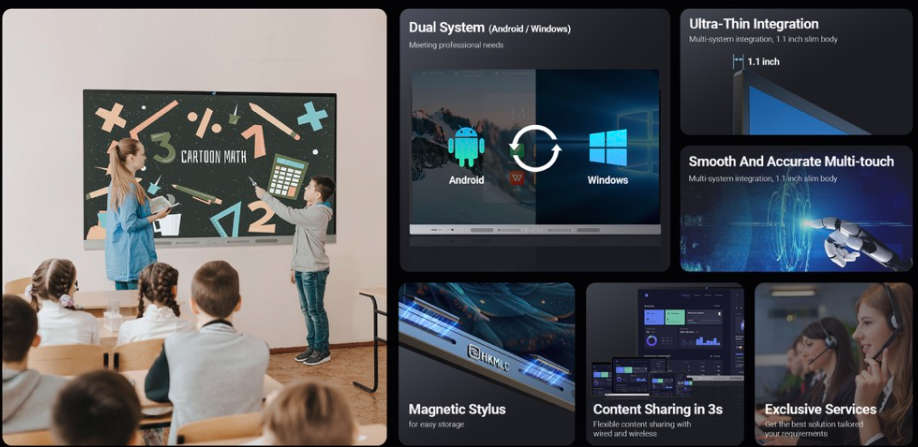
One excellent option for professional setups is the HKMLC Interactive Whiteboard, which combines advanced functionality with user friendly design. Tools like these go beyond free online platforms, offering a dedicated environment for teaching math and other subjects with precision and efficiency.
Popular Free Whiteboards for Online Math Tutoring
There are several whiteboard platforms that offer free versions with enough features to support effective math tutoring. Here are some of the most widely used options:
1. AWW App (A Web Whiteboard)
AWW is an easy to use online whiteboard tool that allows tutors and students to collaborate in real time. Its free version offers basic drawing tools, text, and shapes. While it may not have an advanced equation editor, it works well for simple math explanations.
2. BitPaper
BitPaper is specifically popular among tutors because it allows real time collaboration, unlimited boards, and the option to save and share work. The free plan includes enough features for individual tutoring sessions, including pen tools, text boxes, and image uploads.
3. Ziteboard
Ziteboard is a lightweight whiteboard platform that focuses on simplicity. It allows zooming in and out, drawing, and importing images. While its math specific tools are limited, it can be useful for explaining diagrams and problem solving.
4. Miro
Miro is widely used for collaboration in business, but it also works for tutoring. Its free version includes sticky notes, drawing tools, and document uploads. While not math focused, it can be adapted for tutoring sessions that require visuals and collaboration.
5. Whiteboard Fox
Whiteboard Fox is known for its simplicity and real time collaboration features. It works directly in the browser without requiring account setup, making it convenient for quick tutoring sessions.
6. OpenBoard
OpenBoard is an open source interactive whiteboard software designed for teaching. It includes a variety of tools for drawing, annotation, and importing educational content. Tutors who want more control over their lessons may find OpenBoard highly useful
Benefits of Using Free Whiteboards for Math Tutoring
Using free whiteboards in online tutoring sessions offers several advantages for both students and tutors.
- Accessibility
Free whiteboards remove financial barriers, making it possible for anyone to start tutoring without expensive software. - Flexibility
Students and tutors can work from anywhere, whether they are using laptops, tablets, or even smartphones. - Improved Learning Outcomes
The visual and interactive nature of whiteboards makes math concepts easier to understand and retain. - Collaboration Beyond Tutoring
Students can use whiteboards for homework practice or group study sessions, extending learning beyond scheduled tutoring hours. - Sustainability
By eliminating the need for printed worksheets or paper, online whiteboards contribute to eco-friendly learning.
See also: Technology: Transforming the Modern World
Challenges of Free Whiteboards
While free whiteboards offer many benefits, they also come with limitations.
- Limited Features: Free versions may not include advanced math tools such as equation editors or graphing calculators.
- Storage Restrictions: Some platforms limit the amount of saved work or exported files.
- Ads and Branding: Free tools sometimes display ads or watermarks that can be distracting.
- Internet Dependence: Whiteboards require a stable internet connection, which may be a challenge for some students.
Despite these challenges, free whiteboards remain an excellent starting point for math tutoring. Tutors who need advanced features can later upgrade to paid versions.
Tips for Effective Math Tutoring with Whiteboards
To make the most of online whiteboards, both tutors and students should follow best practices that enhance the tutoring experience.
- Prepare in Advance
Tutors should upload worksheets, diagrams, or practice problems before the session begins. - Encourage Active Participation
Instead of solving every problem, let students write directly on the board. This keeps them engaged and helps identify misunderstandings. - Use Colors for Clarity
Different colors can highlight important steps, solutions, or errors. This makes explanations easier to follow. - Save and Share Work
At the end of each session, save the board notes and share them with students for revision. - Combine with Video Conferencing
Use platforms like Zoom, Google Meet, or Microsoft Teams alongside the whiteboard so students can ask questions and interact verbally.
The Role of Interactive Whiteboards Beyond Free Options
While free whiteboards are useful, professional grade interactive whiteboards offer advanced capabilities.
These boards often come with built in math tools, touch sensitive surfaces, and seamless integration with classroom technology. For schools and tutoring centers that want to invest in long term solutions, interactive whiteboards provide a more powerful teaching environment.

Final Thoughts:
The question of whether there is a free whiteboard for online math tutoring can be answered with confidence. Yes, there are many free whiteboard tools available that are well suited for teaching mathematics in a virtual environment.
Platforms like BitPaper, AWW App, Ziteboard, Whiteboard Fox, and OpenBoard provide the essential features needed for collaborative problem solving and interactive learning.


 By
By




 By
By